Explore Everyday Office Electronics
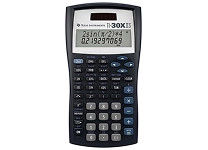
Office electronics bring together the devices that support communication, document handling, data entry, and everyday workplace organization. Common products include printers, scanners, shredders, calculators, monitors, keyboards, webcams, headsets, routers, and presentation equipment. A home office may need a compact all-in-one printer and reliable video-call tools, while a shared workspace can benefit from high-volume printing, document security, and accessories suited to several users. Product descriptions often use terms such as multifunction, duplex, wireless, USB-C, and network-ready; understanding these helps match equipment to existing workflows. Consider how frequently each device will be used, who will operate it, and whether it needs to connect with computers, mobile devices, or a local network. Ubuy can help shoppers discover international office electronics and compare product types across a broad category. The right combination can reduce friction without adding unnecessary complexity.
- Devices for printing, communication, and daily office tasks
- Options for home offices and shared workspaces
- Compare connectivity, workload, and intended users
Compare Printers, Scanners, and Document Devices
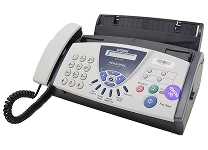
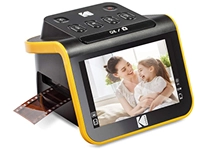
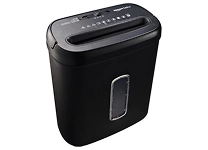
Printers are a central part of many office setups, with inkjet, laser, and multifunction models serving different needs. Inkjet printers can suit colour graphics and occasional printing, while laser printers are often considered for frequent text documents. All-in-one devices combine printing with scanning and copying, and some also include fax functions. Check print speed, resolution, paper capacity, supported media sizes, and whether automatic duplex printing is available. Scanner choices include flatbed models for books or delicate pages and sheet-fed designs for processing stacks of documents. For secure disposal, compare cross-cut and micro-cut paper shredders by sheet capacity and security level. Look at cartridge or toner requirements as well as replacement availability before choosing. Ubuy offers a way to explore international printer and document-equipment options alongside accessories such as paper trays and replacement supplies.
- Choose inkjet, laser, or multifunction printing
- Compare scan methods and paper-handling capacity
- Check consumables and document-security features
Choose Office Computing and Connectivity Tools
Monitors, keyboards, mice, docks, and networking equipment shape how comfortably and reliably people work. When comparing monitors, consider screen size, resolution, panel type, refresh rate, adjustable stands, and available inputs; a USB-C display may also support charging or a single-cable desk connection, depending on the model. Ergonomic keyboards and mice can suit long work sessions, while compact wireless options help keep a desk uncluttered. USB hubs and docking stations expand ports for displays, storage, and other peripherals, but verify operating-system support, connector type, and power delivery needs. Routers and network adapters should match the office's Wi-Fi standards and connection requirements. Brands such as Dell, Logitech, and HP are familiar names across several office-electronics categories, though specifications vary by product. Check device compatibility before purchasing to avoid connection or feature limitations.
- Match display size and ports to your computer
- Check dock, hub, and operating-system compatibility
- Compare wired and wireless peripherals
Support Meetings, Calls, and Presentations
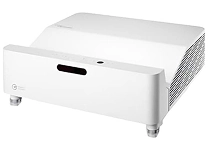
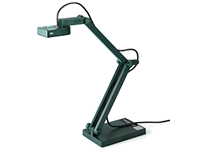
Office electronics for collaboration include webcams, speakerphones, headsets, microphones, projectors, and presentation remotes. For video calls, compare webcam resolution, field of view, autofocus, microphone quality, privacy shutters, and mounting options. Headsets may use USB, a 3.5 mm connector, or Bluetooth, so confirm that the connection works with the intended computer or phone. Noise-reducing microphones and comfortable ear cushions can be useful during extended calls. Projectors are selected by brightness, resolution, throw distance, input connections, and room lighting; portable models can be convenient where equipment needs to move between rooms. Presentation clickers may include laser pointers or controls for advancing slides. Canon and Epson are recognized in imaging and projection, while Logitech is associated with computer peripherals. Match meeting equipment to room size, user count, and the software or devices already in use.
- Compare webcam, microphone, and headset connections
- Select projector features for the room and screen
- Check compatibility with meeting devices and software
Understand Features, Accessories, and Care
The right features can make office electronics easier to install and maintain. Wireless printing, Wi-Fi networking, Bluetooth pairing, touch controls, automatic document feeders, and duplex functions can simplify routine tasks, but their value depends on how the equipment will be used. Review included cables, power requirements, compatible operating systems, supported file formats, and setup instructions before purchase. Useful accessories may include monitor arms, surge protectors, printer paper, toner, ink, USB cables, privacy filters, and replacement batteries. Keep vents clear, clean screens and keyboards with suitable materials, and follow the manufacturer's care guidance for printers and scanners. Store consumables as directed and replace worn cables or accessories when needed. A practical check of ports, dimensions, and supply requirements can prevent avoidable setup issues and help equipment fit the available workspace.
- Review connections, power, and included accessories
- Plan for compatible ink, toner, paper, and cables
- Follow product care and cleaning instructions
Select the Right office electronics
Start by listing the tasks your office electronics need to handle, such as printing reports, scanning receipts, joining video meetings, or connecting several devices at one desk. Set priorities for workload, colour output, speed, space, portability, and ease of use, then compare models against those needs rather than choosing by features alone. Check dimensions and power requirements, and confirm that each product works with your computer, mobile device, network, and preferred software. For printers, consider ongoing ink or toner needs; for monitors and docks, verify ports and supported display connections; for headsets, confirm the connection type and fit. Read product specifications carefully and compare included accessories with anything you may need to buy separately. Ubuy can help shoppers discover international office-electronics products and assess available features for their intended setup. A compatibility-first choice can support a more efficient, well-organized workspace.
- Prioritize tasks, workload, and available desk space
- Verify compatibility before placing an order
- Compare ongoing supplies and included accessories