Explore Essential Laptop Accessories
Laptop accessories can make a computer more comfortable to use, easier to carry, and better suited to work, study, travel, or entertainment. Common choices include laptop bags and sleeves, wireless mice, keyboards, laptop stands, USB hubs, docking stations, chargers, headphones, webcams, and external storage. Some accessories add convenience, while others address a specific need, such as more screen connections or improved posture at a desk. Start by considering where and how you use your laptop: a lightweight sleeve may suit short commutes, while a padded backpack offers room for a charger and other essentials. Ubuy helps shoppers discover laptop accessories from international product ranges. Check product details and compatibility information before choosing, since connection types and supported features vary by device.
- Covers everyday, work, travel, and entertainment needs
- Includes portable and desk-based accessories
- Check device compatibility before purchasing
Connectivity: Hubs, Docks, and Adapters
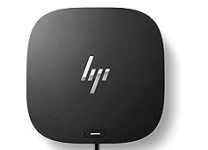
USB hubs, docking stations, and adapters expand the ports available on a laptop, helping connect devices such as external monitors, keyboards, storage drives, and memory cards. A compact USB-C hub is useful for portable setups, while a dock can support a more permanent workstation with multiple peripherals. Compare the laptop's available ports with the accessory's connectors, including USB-A, USB-C, HDMI, Ethernet, and SD card slots. Also check whether a hub supports the display resolution and refresh rate you need, and whether it provides power delivery if you want to charge through the same connection. Not every USB-C port supports video output or charging, so confirm the laptop's specifications. A well-matched adapter can reduce cable clutter without compromising the functions you rely on.
- Compare ports on both accessory and laptop
- Check display output and power delivery support
- Choose a hub or dock for your setup
Comfort, Protection, and Everyday Carry
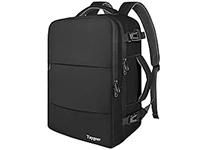
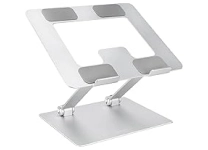
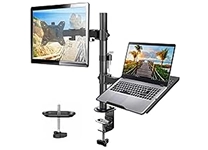
Ergonomic accessories can make long laptop sessions more comfortable. A height-adjustable stand raises the screen, while an external keyboard and mouse let you position your hands independently. Look for stable construction, useful adjustment settings, and a footprint that fits your desk or travel bag. For protection, sleeves and cases help shield a laptop from everyday scuffs, while backpacks and messenger bags provide additional space for accessories. Check the laptop's screen size and dimensions rather than relying on a broad size label, and consider padding, closures, compartments, and water-resistant materials where relevant. Logitech is widely known for computer mice and keyboards, while Targus offers bags and carrying accessories. Select products based on fit, materials, portability, and the way you plan to use them.
- Pair a stand with an external keyboard and mouse
- Match cases and sleeves to device dimensions
- Compare padding, materials, and carrying style
Power, Charging, and Storage Essentials
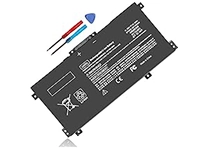
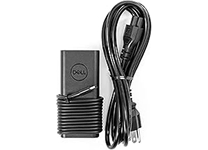
Chargers, power adapters, cables, and power banks help keep a laptop and its connected devices ready for use. Confirm the laptop's required charging method, connector, and power rating before selecting a replacement or supplemental charger. For USB-C charging, check that the charger and cable support the power output your device requires; a connector that fits is not, on its own, proof of compatibility. External solid-state drives and portable hard drives can provide additional space for files, media, and backups. Compare capacity, connection type, portability, and intended use, and keep important files backed up separately when possible. Brands such as Anker and Belkin are recognized in charging and connectivity accessories. Ubuy provides a place to explore international options, with product specifications useful for comparing features and connection requirements.
- Match charger output and connector to the laptop
- Compare external drive capacity and connection type
- Review cable and power delivery specifications
Audio, Video, and Accessory Compatibility
Headphones, speakers, microphones, and webcams support calls, online learning, gaming, and media playback. Consider whether you prefer wired or wireless audio, and check the connection method, microphone controls, and compatibility with the laptop's operating system or communication apps. A standalone webcam may offer placement flexibility, while built-in laptop cameras can be sufficient for everyday calls. When building a setup, confirm that accessories work together: a dock may have a limited number of display outputs, a headset may need a particular port, and wireless devices may rely on Bluetooth or a USB receiver. Keep cables organized and clean vents and device surfaces according to manufacturers' care guidance. Avoid pulling connectors by their cables, and store portable accessories securely to help reduce wear during travel or daily use.
- Compare wired, wireless, and Bluetooth connections
- Check operating system and app compatibility
- Consider microphone and camera placement
Select the Right laptop accessories
Choose laptop accessories by starting with your device model, available ports, and the tasks you perform most often. A student or commuter may prioritize a protective sleeve, compact charger, and wireless mouse; a home-office setup may benefit more from a dock, stand, keyboard, and external monitor connection. Travelers can compare weight, foldability, cable length, and storage, while creators may focus on fast external storage and reliable display connections. Review dimensions, materials, power specifications, supported resolutions, and included cables before buying. If you are comparing several options, prioritize the features you will use regularly rather than adding unnecessary extras. Ubuy can help shoppers discover international laptop accessories across different product types. Use the listing details to narrow your choices, then confirm that each item suits your laptop and intended setup.
- Start with your laptop model and daily tasks
- Prioritize fit, ports, power, and portability
- Check specifications before completing a purchase