Explore DJ Equipment and Essential Gear
DJ equipment brings together the tools used to select, blend, shape, and play music for live audiences, broadcasts, and personal practice. Common setups include DJ controllers, standalone players, turntables, mixers, headphones, speakers, and the cables or cases that connect and protect them. Some systems are designed for laptop-based mixing, while others play tracks from USB drives or vinyl records. The right combination depends on your preferred music library, performance style, available space, and level of experience. Beginners often value an integrated controller with straightforward controls; experienced DJs may prefer modular components that can be configured for a particular booth or workflow. Ubuy helps shoppers discover international DJ gear across these product types, making it easier to compare equipment features and identify options suited to different setups.
- Controllers, players, turntables, and mixers serve different workflows
- Choose gear around your music source and performance style
- Build a complete setup with monitoring and connection accessories
Compare DJ Controllers, Players, and Mixers
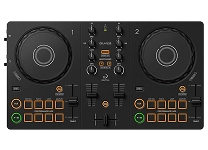
A DJ controller combines hands-on performance controls with a computer, usually connecting jog wheels, pads, faders, and knobs to compatible DJ software. Check software support, operating-system compatibility, audio outputs, and the number of channels before choosing. Standalone media players can perform without a laptop, but their supported file formats, storage connections, and library features vary. Turntables suit vinyl mixing and can also support digital vinyl systems when paired with compatible software and hardware. A DJ mixer routes audio between sources and provides channel faders, equalization, gain controls, and a crossfader; some models also include effects or USB audio. Brands such as Pioneer DJ, Denon DJ, Numark, and Technics offer products across different styles. Compare layout, build, inputs, outputs, and upgrade needs rather than assuming every component works with every system.
- Confirm software, file-format, and operating-system compatibility
- Match mixer channels and inputs to your planned sources
- Compare control layout, connections, and upgrade flexibility
Choose Headphones, Speakers, and Audio Connections
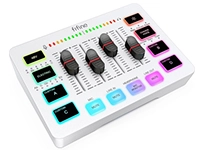
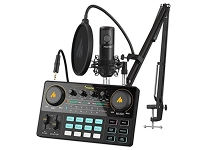
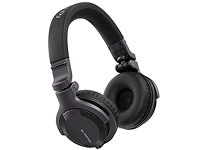
Accurate monitoring helps DJs preview tracks, match timing, and judge transitions in a noisy environment. DJ headphones commonly use a closed-back design to reduce outside sound, with a swiveling ear cup for one-ear monitoring. Consider comfort, replaceable cables, connector type, and whether an adapter is included or required. Speakers should suit the room and listening purpose: compact powered monitors can work for home practice, while larger PA speakers are intended for broader sound coverage. Check power requirements, input types, placement, and whether a subwoofer is needed for the music and space. Audio interfaces, amplifiers, and microphones may also be part of a setup. Balanced XLR or TRS connections can help with suitable equipment, while RCA is common on consumer audio gear. Ubuy offers a way to explore audio components and compare their specifications for a planned system.
- Look for comfortable headphones with practical monitoring features
- Size speakers for the room, audience, and intended use
- Check connectors, signal levels, and power requirements
Understand DJ Software, Music Libraries, and Connectivity
DJ software organizes tracks and translates controller movements into playback, mixing, and effects. Before purchasing a controller or interface, verify that it supports the software you plan to use and review any stated licensing or subscription requirements. Useful library tools can include playlists, search, cue points, beat grids, and waveform displays, but track analysis and supported formats differ by application. Some systems connect to streaming services, while others rely on music files stored on a computer or external drive; confirm current service and device compatibility rather than assuming access. USB, MIDI, Bluetooth, and network connections each serve different purposes, and wireless audio may introduce latency that is unsuitable for precise monitoring. Check the available ports and connection method for every component. When browsing DJ equipment on Ubuy, compare product specifications and compatibility details to help narrow choices for your preferred software and music workflow.
- Verify controller support for your intended DJ software
- Check library sources, file formats, and storage options
- Match ports and connection types across every component
Complete Your Setup with Accessories and Care
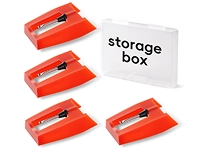
Practical accessories can make a DJ setup easier to transport, connect, and maintain. Essential items may include RCA, XLR, or TRS audio cables; USB cables; adapters; power supplies; a laptop stand; and a protective case or bag sized for the equipment. Turntable users may also need slipmats, replacement styli, cartridges, and cleaning tools, while performers using microphones should check cable and stand compatibility. Keep connectors free of dust, coil cables without sharp bends, and store gear away from moisture, heat, and impact. Follow the manufacturer's instructions for cleaning jog wheels, faders, screens, and stylus assemblies; avoid applying liquids directly to electronic components. Before a performance, test signal routing, power, and backup playback options. Ubuy can help shoppers discover accessories alongside core DJ equipment, so check dimensions and connection standards carefully before adding items to a setup.
- Choose cables and cases that fit your exact equipment
- Maintain faders, connectors, screens, and turntable parts carefully
- Test connections and playback before a session
Select the Right dj equipment
Start by defining how and where you will mix: bedroom practice, mobile events, club performance, vinyl sessions, or streaming and recording. Then choose a workflow, such as an all-in-one controller and laptop, standalone players with a mixer, or turntables with a compatible mixer. Set a realistic budget across the full setup, including headphones, speakers, cables, and protective storage, rather than focusing only on the main unit. Compare channel count, jog-wheel feel, pad functions, EQ controls, effects, audio outputs, and microphone inputs against the way you expect to perform. Review dimensions and weight if portability matters, and confirm software, device, and connection compatibility before purchasing. Reading product specifications closely can help prevent mismatched components. With a clear plan, you can use Ubuy to explore DJ equipment options and select gear that supports your skills now while leaving room to develop your setup.
- Choose a setup for your venue, skill level, and mixing style
- Budget for essential accessories as well as core components
- Verify compatibility, dimensions, and connection requirements