Explore Computer Tablet Types and Everyday Uses
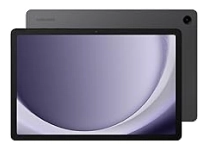
Computer tablets bring a portable touchscreen format to reading, communication, entertainment, study, and work. Standard tablets suit browsing, streaming, video calls, and note-taking, while compact models are easier to carry and use one-handed. Large-screen tablets offer more room for documents, creative projects, and multitasking. Detachable two-in-one devices pair a tablet with a keyboard cover, while some models support a stylus for handwriting, illustration, or precise editing. Rugged tablets are designed for demanding environments and may feature reinforced housings or protected ports. Before choosing a type, consider where and how often you will use it, whether it needs to replace a laptop, and which apps or accessories matter most. These use cases help narrow the range of computer tablets to options that suit your routine.
- Standard, compact, large-screen, and rugged designs
- Options for entertainment, learning, creativity, and work
- Detachable models for a laptop-style setup
Compare Tablet Displays, Performance, and Connectivity
Screen size and display technology influence comfort, detail, and portability. LCD panels are common, while OLED displays can deliver rich contrast; resolution, brightness, refresh rate, and viewing angles also affect the experience. For smooth everyday use, compare the processor, memory, and storage alongside the screen. More memory can help when switching among demanding apps, and expandable storage is useful for keeping media and files on the device when supported. Check battery capacity and charging connections, such as USB-C, as well as Wi-Fi and Bluetooth specifications. Some tablets also offer cellular connectivity, but network compatibility depends on the model and service. Ubuy provides a place to discover international computer tablets and compare product specifications; review the listed configuration carefully, since features can vary within a product family.
- Compare screen technology, resolution, and size
- Match memory and storage to app usage
- Check Wi-Fi, cellular, Bluetooth, and charging support
Choose an Operating System and Check Compatibility
The operating system shapes how a tablet handles apps, files, privacy controls, and connected devices. Apple iPadOS, Android, and Windows each have distinct interfaces and software ecosystems, so consider the applications and services you already use. Check that essential work, school, creative, or accessibility apps support the device and its operating system. Compatibility also matters for accessories: a keyboard, stylus, mouse, headset, or external display may require a particular connection, operating-system version, or tablet model. If you plan to share files with a computer or phone, look into available cloud services, ports, and transfer methods. Families may value parental controls and separate user features where offered. Reviewing software support and connection requirements before purchase helps avoid surprises and keeps a computer tablet useful as your needs change.
- Compare iPadOS, Android, and Windows ecosystems
- Confirm essential apps and software support
- Check accessory, port, and device compatibility
Find Tablet Accessories, Materials, and Design Features
The right accessories can make a tablet more comfortable and versatile. Keyboard cases support typing, while folio covers protect the screen during transport and can provide adjustable viewing angles. Active styluses may offer pressure sensitivity or palm rejection, but features and compatibility differ by model. Screen protectors, stands, USB-C hubs, and wireless headphones can add practical options for travel, presentations, or creative work. Tablet bodies commonly use aluminum, plastic, or combinations of materials; compare weight, dimensions, grip, and finish as well as appearance. Look for details such as speaker placement, camera position, port access, and physical controls that suit your preferred orientation. For frequent travel or shared use, a protective case may help reduce everyday wear. Confirm accessory fit by checking the exact tablet generation and model number.
- Consider keyboard cases, folios, and styluses
- Compare weight, materials, ports, and ergonomics
- Verify accessories against the exact model
Discover Computer Tablet Brands and Product Features
Well-known tablet makers include Apple, Samsung, Lenovo, and Microsoft, with product lines ranging from everyday browsing devices to productivity-focused systems. Compare individual models rather than relying on brand alone: screen size, processor, storage, cameras, speakers, operating system, and included accessories can differ substantially. Some tablets emphasize pen input and creative tools, while others focus on portability, entertainment, or compatibility with desktop software. Check whether a keyboard or stylus is included or sold separately, and review the ports and wireless standards for your setup. Product descriptions and specifications can help you compare configurations across a range. Ubuy is a platform for discovering international computer tablets and related accessories; use the product details to assess the model, configuration, and compatible add-ons that fit your requirements.
- Compare recognized brands by model and configuration
- Check included accessories and hardware specifications
- Browse tablets and related accessories on Ubuy
Select the Right computer tablets
Start with your main use: streaming and reading call for a comfortable display and dependable battery life, while creative work may need a responsive stylus, accurate screen, and ample storage. For frequent typing or multitasking, compare larger displays, keyboard support, memory, and operating-system features. Consider portability by checking weight and dimensions, then confirm connectivity, app compatibility, and whether cellular service is necessary. Set a practical budget that accounts for accessories such as a case, keyboard, or pen, which may be separate purchases. Before ordering, verify the exact model and storage configuration, supported connections, and accessory fit. Keep software updated, clean the screen with suitable materials, and use a protective case to help maintain the device. Matching these details to your routine makes it easier to choose a computer tablet you can use confidently over time.
- Prioritize features around your main activities
- Account for accessories and connectivity needs
- Verify model details before purchase